
Archify isn't a person
No one at Archify joins your meetings or takes a marked-up PDF and comes back with fixes. Each change is a run you set up, or one Autopilot plans and you approve.
Comparison · AI rendering
Archify is AI rendering you run yourself. Upload a sketch, a photo or a view of your Design Studio model, describe the materials and light, and an image comes back — 100 credits a render, on plans from $29/month. It is software, not a team of people: no one at Archify joins your meetings or answers your markup. Its Autopilot can take a written brief and plan the runs for you to approve, but checking each image against your design stays with you. Everything this page says about Archify comes from its code and its own measured runs, and it quotes no agency prices — we have not checked enough published rate cards to state one honestly.
100 credits per render · a Design Studio render measured 21.6–55 seconds · New accounts start with 500 free credits.
A Real Run
Halcyon Court, a model in Archify's free Design Studio. The day image is one 100-credit render from a saved camera; the dusk is Day to Dusk (100 credits) run on that render. Real output from October 16, 2026, nothing retouched.
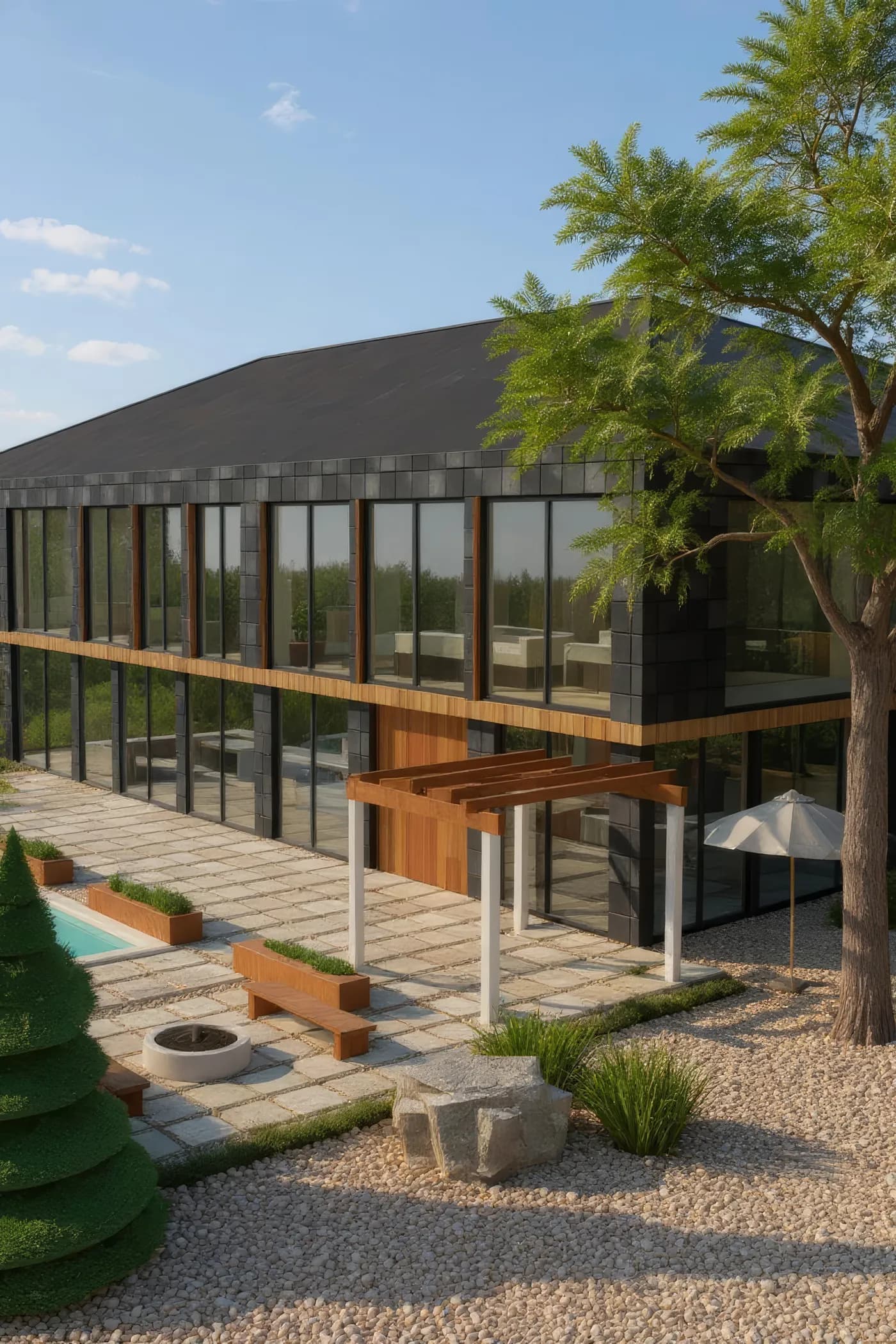
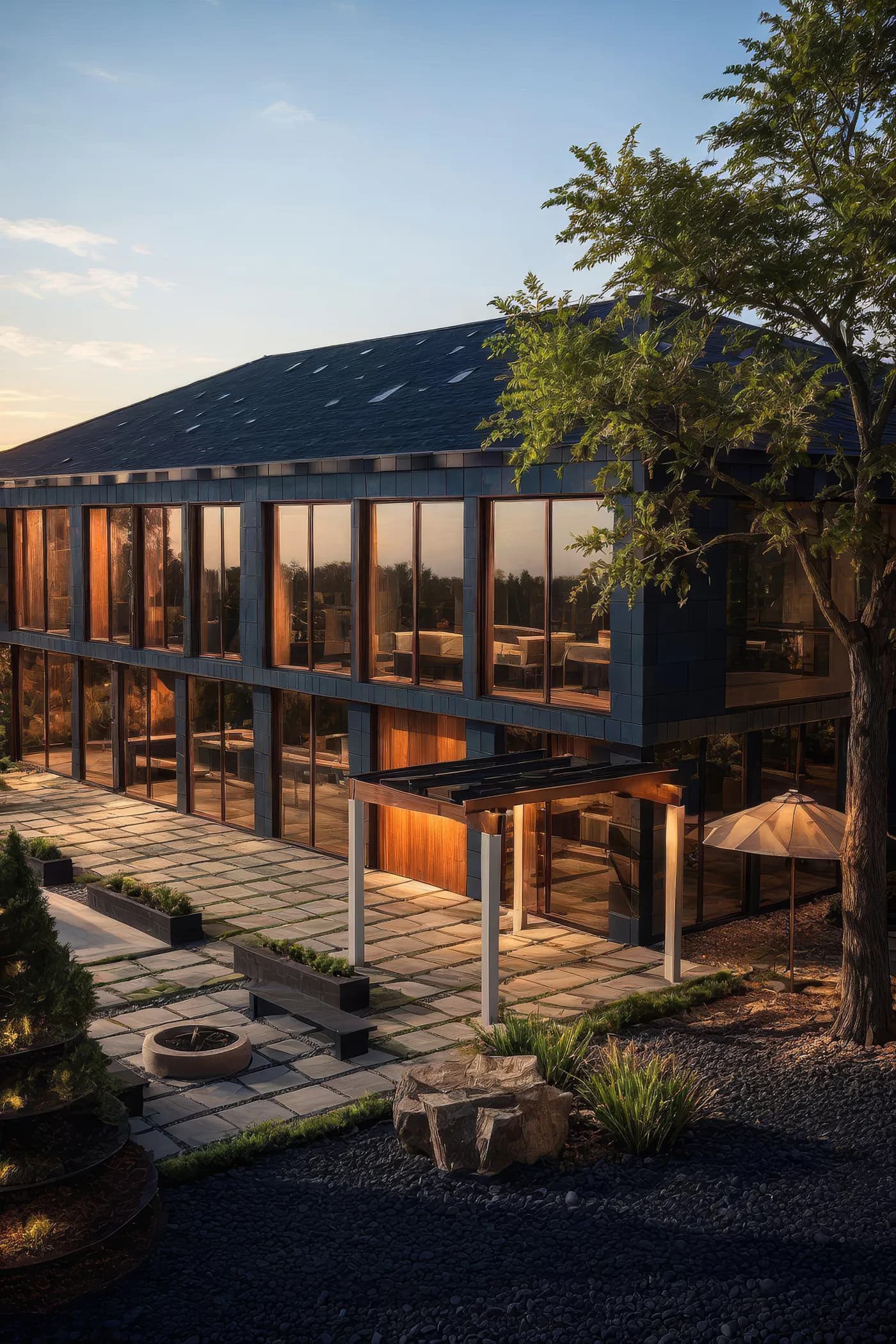
Archify's dusk is an edit of the day image, so the two line up — but it changed small things too: the planters went dark and the pool at the left edge turned pale. See the whole run on /design-options.
Both stills were sharpened with one upscale pass each (4x, 100 credits) and resized for the web; each figure's Archify job ids are in its markup.
Side by Side
The Archify column comes from Archify's code and its own runs. The other column is a question to ask, not a claim — get the answers in writing.
Honest Limits
No one at Archify joins your meetings or takes a marked-up PDF and comes back with fixes. Each change is a run you set up, or one Autopilot plans and you approve.
An Archify render is an image model's reading of what you upload, not a physically computed image of a complete model. Don't rely on it where an image has to match construction drawings.
The Render rail's styles are written for exteriors, so an interior camera can come back as an outdoor scene. For a room, run Interior AI on a photo or render, or walk the model in 3D.
Each Archify run returns one image. A set of views, a second material or another time of day is another run each.
Where Archify Fits
Model the house free in the Design Studio, save a camera, and render 2–3 exterior schemes from it at 100 credits each.
Learn more →Sketch to Image turns your sketch into a photoreal render for 100 credits, with Structure Lock on by default.
Learn more →Day to Dusk edits a render or a photo into a dusk version for 100 credits, so the two line up.
Learn more →Pricing
Every render here is 100 credits — counted below in renders a month.
Starter
$29/mo launch price
3,000 credits every month — about 30 renders. Archify watermark included. Unused credits roll over while you stay subscribed.
Pro
$79/mo launch price
10,000 credits every month — about 100 renders. Watermark-free downloads and the video tools. Unused credits roll over while you stay subscribed.
The Design Studio, saved cameras and the share link are free on every plan; credit packs top up any plan without changing it. See current plans and one-time credit packs.
FAQ
This page quotes no agency prices — we have not checked enough published rate cards to state one honestly. Archify's side is public: 100 credits a render; Starter is $29/month (launch price) for 3,000 credits (about 30 renders, with the Archify watermark) and Pro is $79/month (launch price) for 10,000 (about 100, watermark-free). Put those numbers next to an agency's written quote for the same views.
On our own September 2026 ad shoots, a Design Studio render took 21.6–55 seconds from submit to image on screen. That is one image; another view or a revision is another run.
Designed to, not guaranteed to. Structure Lock and a geometry setting tell the image model to hold the walls, openings and proportions it is given, but it is still an image model: massing, roof lines and landscaping can drift. Use Archify renders for design direction, and your drawings for anything dimensional.
Free and Starter output carries the Archify mark; watermark-free use starts at Pro. On paid plans, yes — downloads on Pro and Studio are watermark-free and can carry your own studio branding. Free-account output carries the Archify watermark and is licensed for evaluation. Check your local MLS rules before using AI-altered video in a listing; that disclosure is the agent's responsibility.
When an image has to match construction drawings exactly, when you want a person to do the work, or when you need a whole set of interior views that agree with each other — Archify's renders are separate image-model runs, so it is not built for that.
New accounts start with 500 free credits. That covers 5 renders, with the Archify watermark and the evaluation licence free output carries. The Design Studio is free on every plan.
Keep Going
The same house and saved camera: the house as designed, two exterior schemes, and the day-to-dusk pair shown here.
Every Archify render tool, one run at a time.
What Archify runs in your browser, free, and what it renders in the cloud.
Keep your sketch: what Archify's Sketch to Image does with a drawing.
New accounts start with 500 free credits. No credit card required to start.