
01
Share your work
Send a shared design, a Client Room, a 360° tour or panorama link — or print the open-house QR poster. Every one of those public pages carries a contact card.
Clients & Leads
Every link you share from Archify can bring work back to you. Viewers of your shared designs, Client Rooms and 360° tours leave their details, you track them in one pipeline, send a quote they accept online, and your client approves the work from their phone — with no account on their side.
Clients & Leads is free on every plan · No credits · Your client never needs an account · New accounts start with 500 free credits.
See It Work
Real screenshots from archifyai.com, taken on October 16, 2026 while we re-checked these four flows on production, playing one designer and one client. The names are demo names, the emails are example addresses and the prices are demo prices.
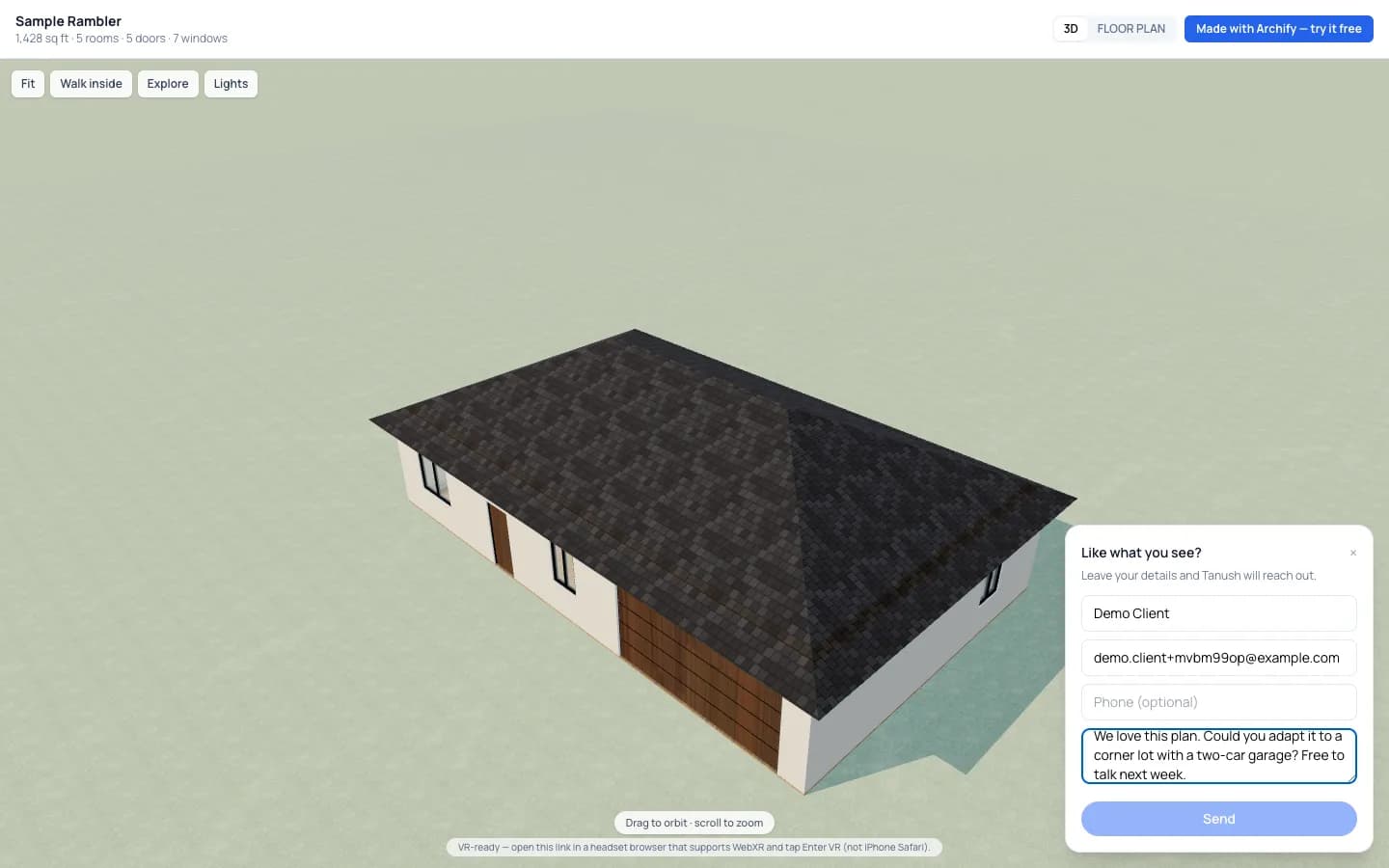
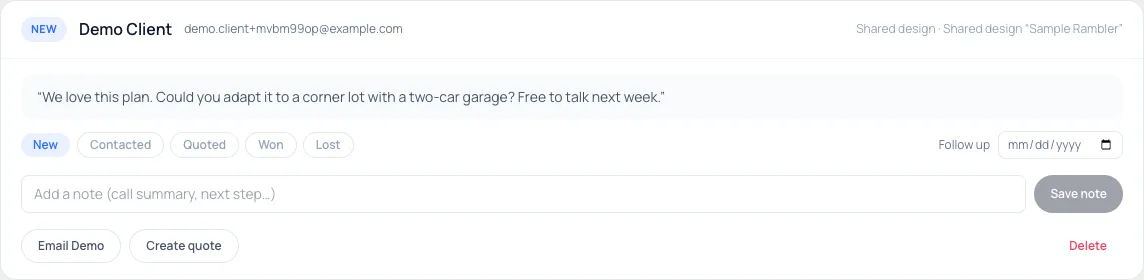
The contact card sits in the corner of every shared design, collapsed until someone wants it. What they send lands in Clients & Leads with the design's name on it, and you get an email.
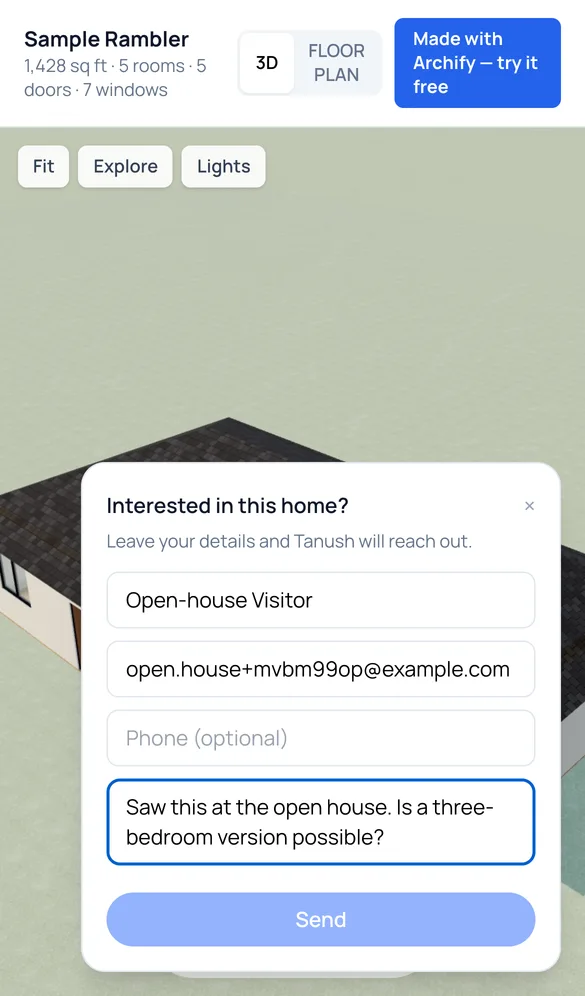
Paste a share link into the QR poster box, download the QR and print it. A visitor who scans it gets the design on their phone with an “I'm interested — contact me” card, and the lead is tagged Open-house QR.


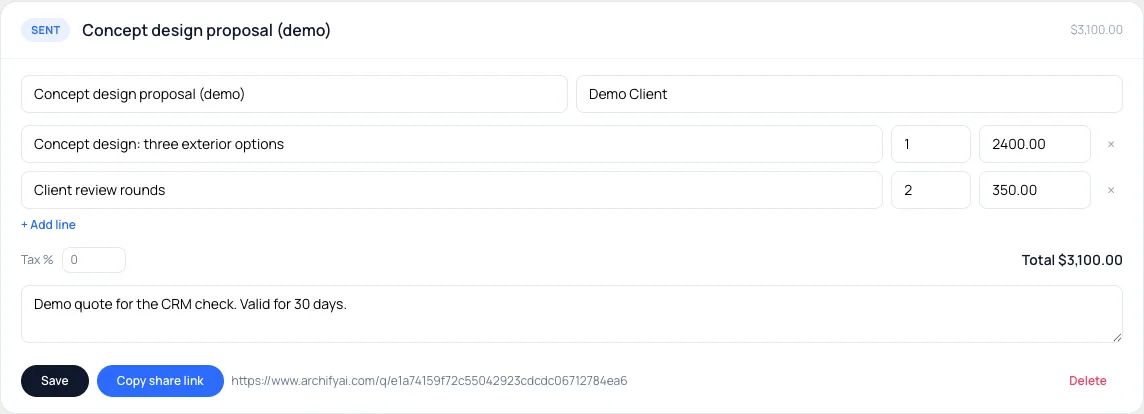
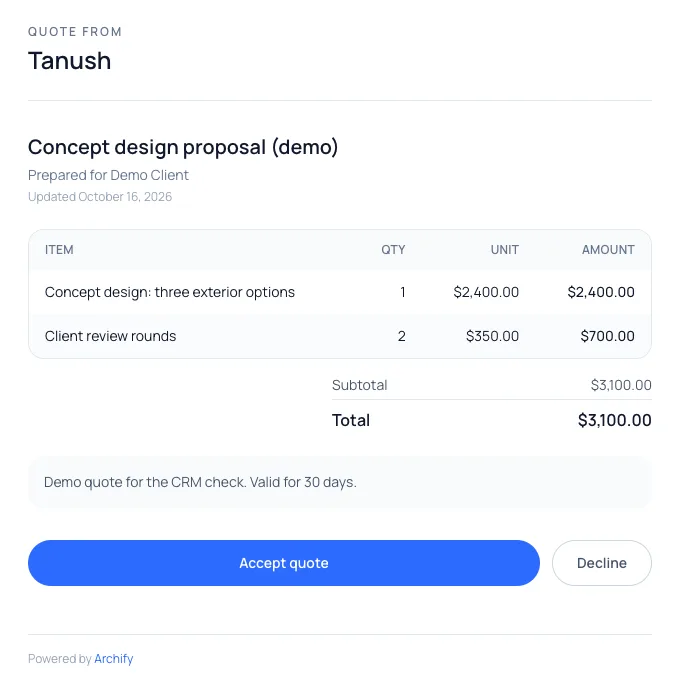
Create a quote from the lead, add line items and press Share with client. Your client opens the link — no account — and presses Accept or Decline.
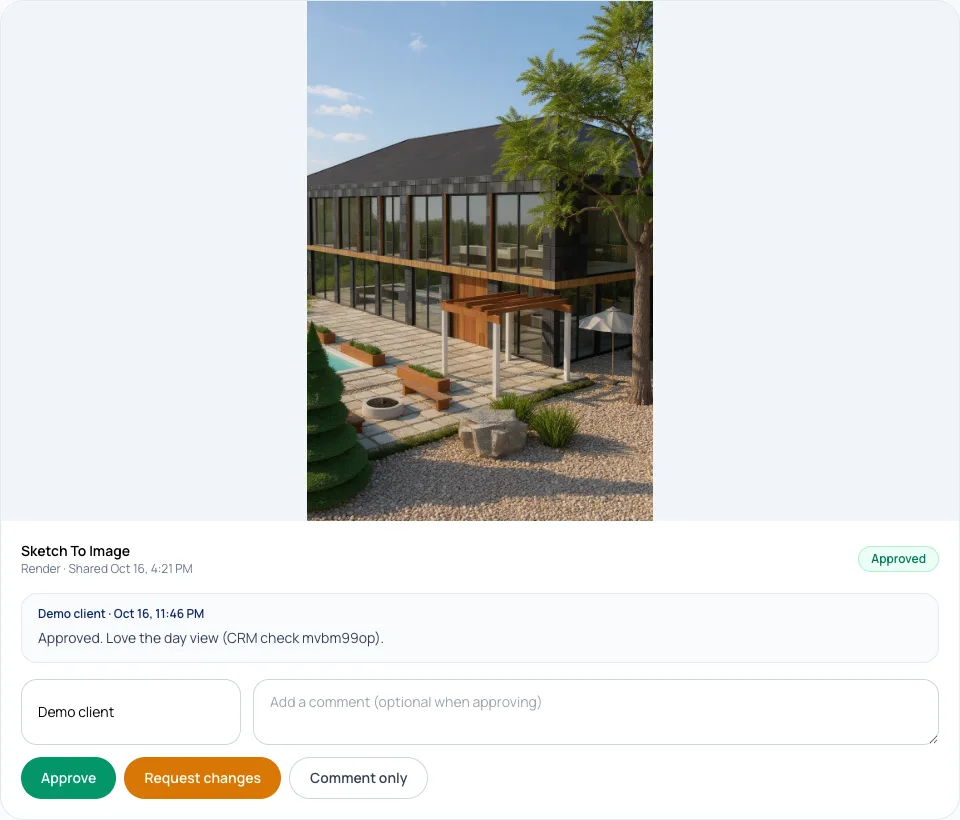
One link per project holds the renders, the 3D house and the 360° tour. Your client approves each one or asks for changes, and the decision shows up in your CRM with their comment.

How It Works
01
Send a shared design, a Client Room, a 360° tour or panorama link — or print the open-house QR poster. Every one of those public pages carries a contact card.
02
A viewer leaves a name and an email or phone. It arrives in Clients & Leads labelled with where it came from, and you get an email. Move it from New to Contacted, Quoted, Won or Lost.
03
Build line items, press Share with client, and send the link. Your client opens it on any device, with no account, and presses Accept or Decline — you're emailed the answer.
04
Put the renders, the 3D house and the 360° tour for one project on a single link. Your client approves each one or asks for changes, with a comment, and it shows up in your CRM.
Inside Clients & Leads
New, Contacted, Quoted, Won and Lost, with notes on every lead and a follow-up date. Leads whose follow-up is due are flagged at the top of the page.
A share link, a Client Room, a 3D model link, the open-house QR, or added by you — with the name of the design, tour or room they were looking at.
Add someone from a phone call or a site visit by hand, then quote them the same way. Email and Call buttons open your own mail app and phone.
Every approval, change request and comment from every Client Room, most recent first, with a link back to the workspace it belongs to.
Optional rules add a task or draft an email when a lead arrives, a quote goes quiet, or a share is viewed twice. Every draft waits for your review. Sending it from Archify needs a paid plan (after any free trial); on a free account, copy the draft or open it in your own mail app.
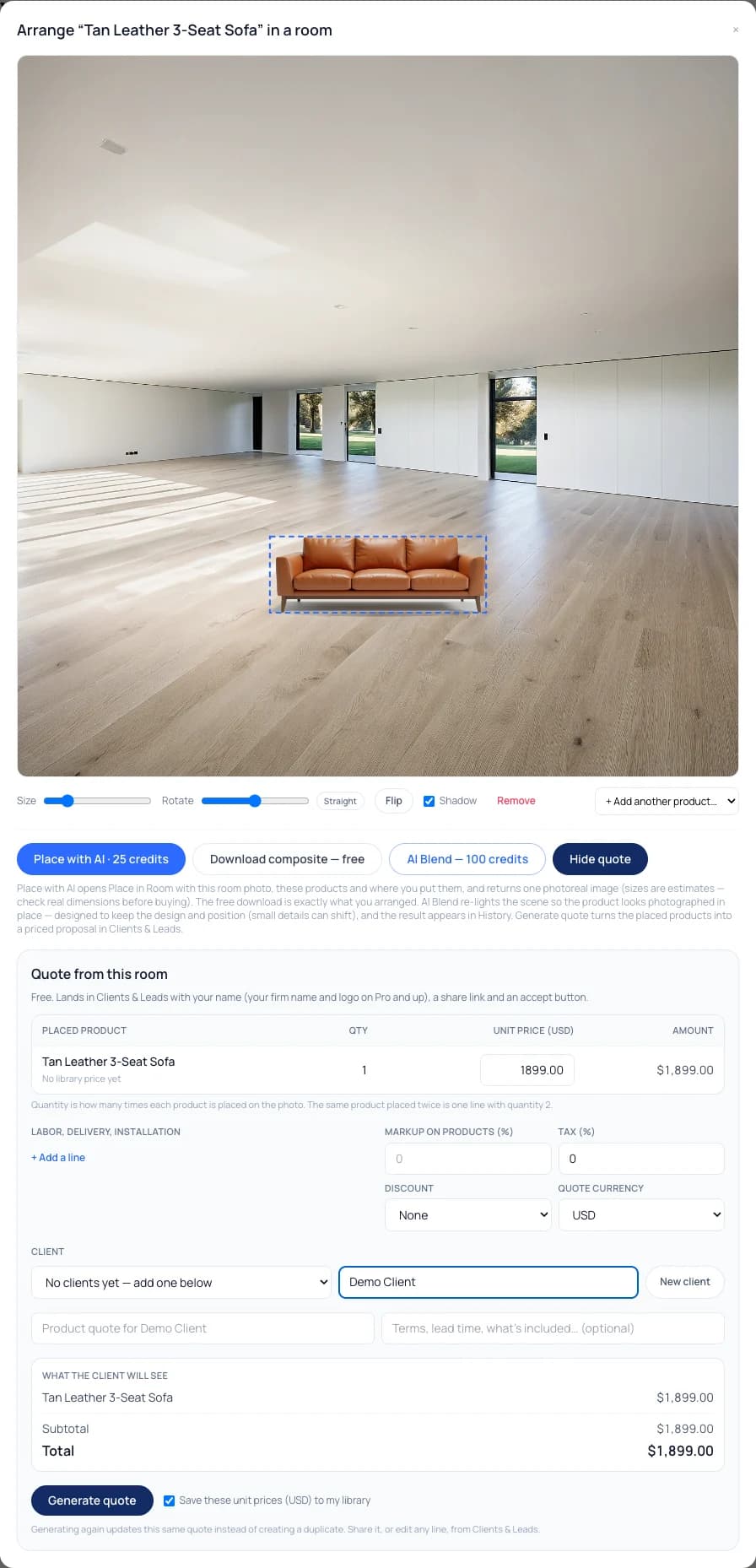
In Product Studio, arrange your library products on a client's room photo and press Generate quote — up to 25 different products, plus labour and delivery lines, markup, discount, tax and 18 currencies.
Product Quotes
For designers and furniture brands working from a product library: the products you arrange become the quote's lines.
In Product Studio, open Arrange in a room on any product, upload the client's room photo and place your pieces. Generate quote turns what's on the photo into lines — each product once, with the quantity counted for you — and adds whatever else you charge for.
Set a markup, a discount and tax, choose one of 18 currencies, and pick the client from your pipeline. The quote lands in Clients & Leads, ready to share like any other. Generate quote is free; arranging on the canvas and downloading the composite are free too.
Want a photoreal preview of the products in the room? That's Place in Room, a separate paid tool.
Get Found
List your studio in Archify's directory: name, city, services, a bio and up to 6 showcase images from your own renders. Homeowners send inquiries straight to your inbox.
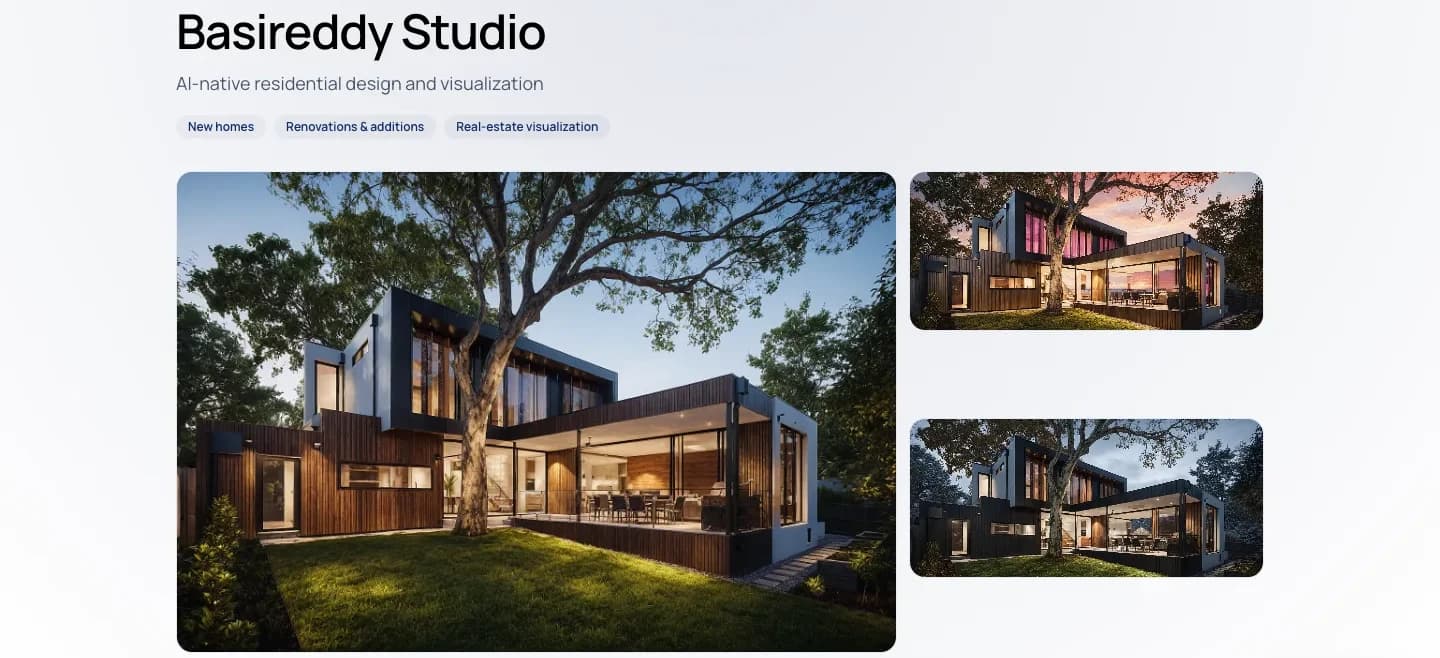
Browse the directory or publish your profile from your Archify account.
Pricing
Nothing. Clients & Leads is free on every plan, including a free account, and none of it uses credits.
Free on every plan
Lead capture on your share links, the pipeline, the open-house QR poster, quotes and their accept/decline links, client decisions from your rooms, and Product Studio's Generate quote. None of it uses credits.
What you share costs credits
Designing a house in the Design Studio is free; a render is 100 credits. Plans for client work start at Starter, $29/month with 3,000 credits. Watermark-free output and your firm branding start at Pro, $79/month.
Can you use the output for client work? On paid plans, yes — downloads on Pro and Studio are watermark-free and can carry your own studio branding. Free-account output carries the Archify watermark and is licensed for evaluation. Check your local MLS rules before using AI-altered video in a listing; that disclosure is the agent's responsibility. See current plans and credit packs.
Honest Limits
The client tools are deliberately simple. These are the edges.
Archify doesn't send text messages or place calls. You reply from your own email or phone; the lead card's Email and Call buttons just open them.
The quote page records Accept or Decline — it doesn't take payment or a signature. Once a client answers, the answer stands; the link can't be flipped back.
On every plan the quote page is headed with your name. Your firm name and logo replace it on the watermark-free plans — Pro ($79/month), Studio and the multi-seat plans — once any free trial has converted to a paid plan.
A homeowner who writes to you from your Find an Architect profile reaches your inbox, usually with a short project brief — reply to answer them. Those inquiries don't appear in the Clients & Leads pipeline.
FAQ
Yes. Clients & Leads — the pipeline, lead capture on your share links, the open-house QR poster and quotes — is free on every plan, including a free account, and it uses no credits. Product Studio's arrange-in-a-room canvas and its Generate quote button are free too. You spend credits only on the work you make and share, such as a render (100 credits). New accounts start with 500 free credits.
No. Shared designs, Client Rooms, 360° tours and quote links all open in a normal browser on a phone or a computer. Your client types a name to approve or comment in a Client Room, and presses Accept or Decline on a quote — nothing to sign up for.
These shared pages carry a contact card: shared Design Studio designs, Client Rooms, 360° tours and panoramas, and 3D model links (3D model links come with Studio and the multi-seat plans). Add ?openhouse=1 — or use the QR poster, which adds it for you — and the card reads "I'm interested — contact me" and tags the lead as an open-house lead.
Paste one of your archifyai.com share links into the Open-house QR poster box in Clients & Leads and download a printable QR code. Visitors who scan it see your design on their phone with a contact card, and their details land in your pipeline labelled Open-house QR. The poster only accepts archifyai.com links, so it can't be used to send people to another site under your name.
A clean page headed "Quote from" your name (or your firm name and logo on the watermark-free plans), the line items, tax and total, your notes, and two buttons: Accept quote and Decline. When they answer, the quote's status changes in Clients & Leads and you get an email. A decided quote stays decided.
Yes. Arrange products from your library on the client's room photo, open Generate quote, and every placed product becomes a priced line (the same product placed twice is one line with quantity 2). Add labour, delivery or installation lines, a markup, a discount and tax, pick one of 18 currencies, and generate — the quote lands in Clients & Leads, ready to share. Pressing it again updates the same quote instead of making a duplicate.
A free public profile in Archify's Find an Architect directory: your studio name, city, services, a short bio and up to 6 showcase images picked from your own finished Archify renders. Homeowners can send you a project inquiry from it, which arrives in your inbox, normally with a short AI-written project brief.
On paid plans, yes — downloads on Pro and Studio are watermark-free and can carry your own studio branding. Free-account output carries the Archify watermark and is licensed for evaluation. Check your local MLS rules before using AI-altered video in a listing; that disclosure is the agent's responsibility. The client tools on this page are free on every plan; shared links and renders from a free or Starter account carry the Archify mark, and Pro ($79/month) and up are watermark-free.
Keep Going
Write one brief and Archify plans and runs the renders, the house and the video — then share the set with your client.
Design the house in the free Design Studio, then send it as a shared link that collects leads.
Place products from any store into a client's room photo as one photoreal image.
New accounts start with 500 free credits. No credit card required to start.