
Archify's live model isn't photoreal
The Design Studio draws real geometry with simple materials, so the walk, the tour and the recording look like a model, not a photograph. Photoreal in Archify is the AI render, one view at a time.
Comparison · where it runs
Archify runs in a web browser on a Mac, a Windows PC or a tablet — nothing to install, no GPU workstation, no separate modelling app. The house you draw in Archify's Design Studio is drawn live in your browser, and so are its walk, its 360° tour and its walkthrough recording, free. A photoreal image is different: an AI render made in the cloud from a picture of your current view, 100 credits. This page says what runs where, and what Archify gives up for it.
Design Studio free on every plan · 100 credits per AI render · New accounts start with 500 free credits.
One House, Live
Halcyon Court, a Design Studio model. Load it below to orbit the house, switch to the plan and explore inside — it runs in this tab. Next to it: one frame of the free walkthrough recorded from that model in the browser, and an Archify AI render of the same house from a saved camera.
Halcyon Court
A Design Studio model on its share link — the page your client would open, no account needed
Archify's editable Design Studio model of Halcyon Court, served live from its share link. Load it to orbit the house, switch to the floor plan, and explore inside — your browser draws all of it.
Walk inside needs a desktop pointer; on a phone, use Explore.
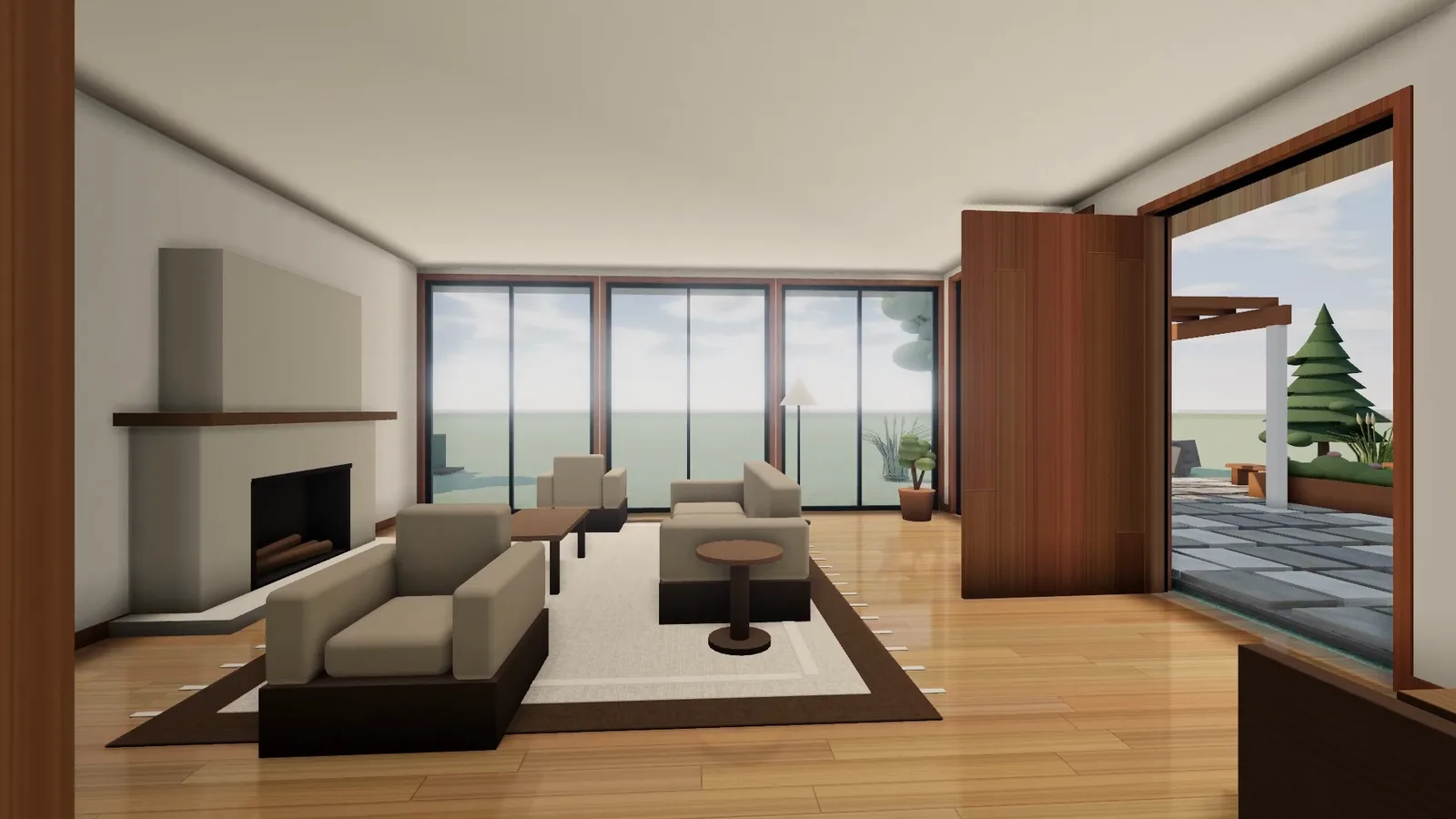
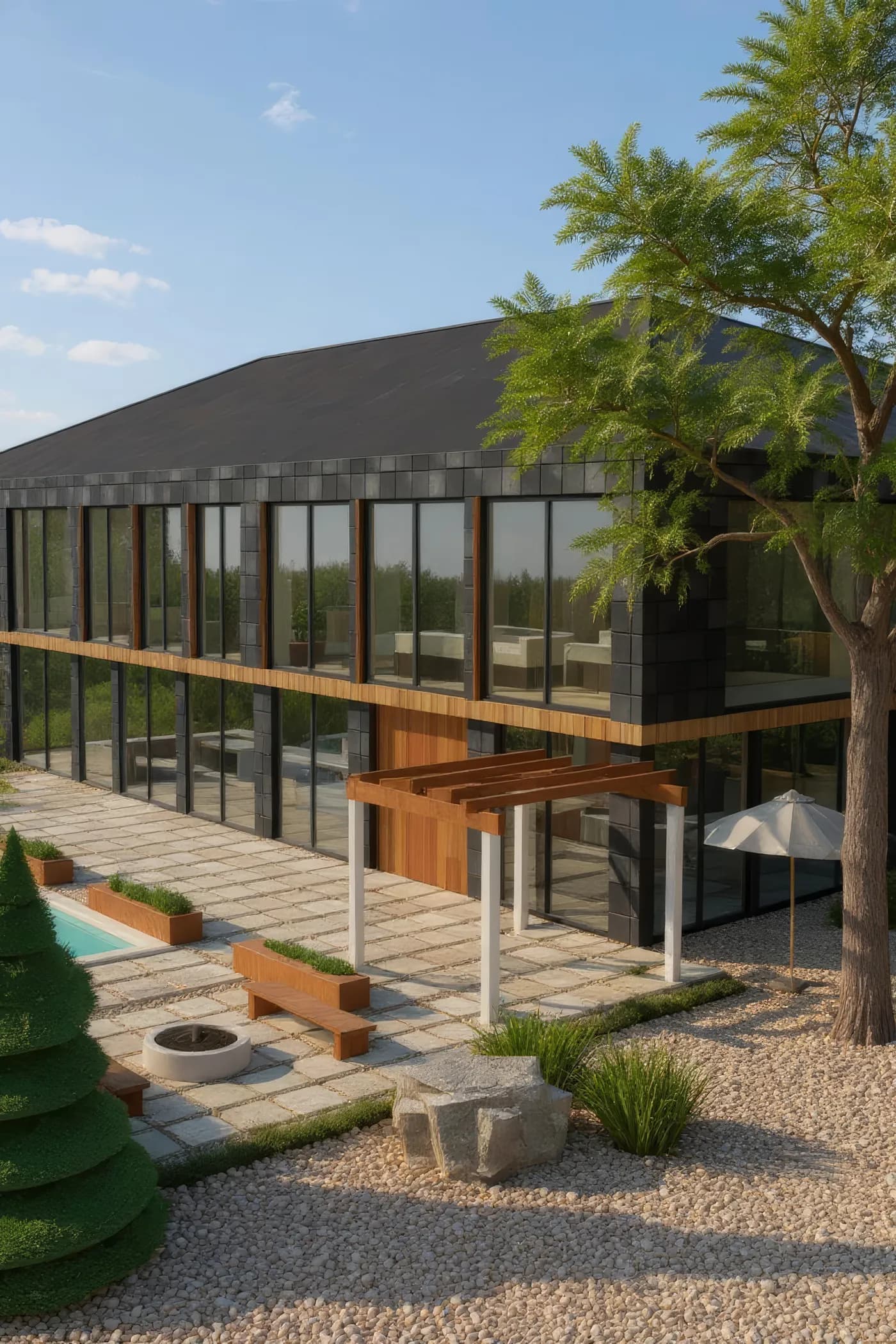
The render was sharpened with one upscale pass (4x, 100 credits) and resized for the web; the frame is resized from the 1080p recording. Archify job ids are in the markup.
Open the 360° tour of Halcyon CourtWhat Runs Where
Where each part of Archify runs, and what it costs. Free means no credits on any plan, including a free account.
Design Studio model
Draw walls in 2D and a live, editable 3D house builds itself, with rooms and areas.
Where it runs: Your browser
Cost: Free
Walk inside
First person on a desktop: walls stop you; furniture doesn't.
Where it runs: Your browser
Cost: Free
360° tour
One panorama per room, captured from your model and linked through its doors — up to 40 stops.
Where it runs: Your browser
Cost: Free
Walkthrough recording
Recorded from your model in your browser, 1080p, doors open — a browser without WebCodecs records at screen resolution with the doors as they stand.
Where it runs: Your browser
Cost: Free
Share link
Your client opens the model without an account; on a phone they explore it by touch.
Where it runs: Your client's browser
Cost: Free
VR
In headset browsers that support WebXR; not iPhone Safari.
Where it runs: The headset's browser
Cost: Free
DXF, IFC and GLB export
To keep working in your own software. Free and Starter DXF and GLB exports carry the Archify mark.
Where it runs: Your browser
Cost: Free
Photoreal render
An AI image of your current view; a Design Studio render measured 21.6–55 seconds from submit to image on screen.
Where it runs: In the cloud
Cost: 100 credits
AI repaint of a walkthrough
Your recording repainted into finished materials and light: about 720p, and it may alter furniture.
Where it runs: In the cloud
Cost: 900 credits, Pro and Studio
Why The Tour Isn't AI
In September 2026 we asked an image model for neighbouring views of one room, to stitch into a photoreal 360°. Each view was a good picture on its own, but the views disagreed about the wall they shared — glass in one view, plaster in the next. In our test, the image model made pictures, not a place. So Archify captures every 360° stop from your model's geometry in your browser: no credits, and every stop shows the same house.
Honest Limits
The Design Studio draws real geometry with simple materials, so the walk, the tour and the recording look like a model, not a photograph. Photoreal in Archify is the AI render, one view at a time.
It is an image model's picture of your view: designed to keep the geometry, but it can drift, and two renders from one camera don't line up pixel for pixel.
Walking needs a mouse pointer; on a phone, your client explores by touch instead. Walls stop the walker; furniture doesn't.
Single-line DXF or DWG plans open as editable walls; double-line or block-based drawings come in as linework you clean up. Proprietary formats such as .rvt, .skp and .3dm need an OBJ, STL, GLB or DXF export first — Import & Switch shows the steps.
This page describes Archify only. It makes no claim about what any desktop render engine can or can't do — check a tool's current features with its maker.
Pricing
Everything that runs in your browser is free. A photoreal render is 100 credits — counted below in renders a month.
Starter
$29/mo launch price
3,000 credits every month — about 30 renders. Archify watermark included. Unused credits roll over while you stay subscribed.
Pro
$79/mo launch price
10,000 credits every month — about 100 renders. Watermark-free downloads and the video tools. Unused credits roll over while you stay subscribed.
The Design Studio, the walk, the 360° tour, the walkthrough recording and the share link cost nothing on any plan. See current plans and one-time credit packs.
FAQ
Archify's photoreal renders are made in the cloud, so your computer only sends the view and shows the result. The Design Studio, the walk and the 360° tour are drawn by your browser — there is nothing to install.
Yes. Archify runs in a web browser on a Mac, a Windows PC or a tablet; Walk inside needs a mouse pointer, so it is a desktop feature.
Yes. Share the design and your client opens it in their browser without an account. On a phone they explore by touch; on a desktop they can walk inside. In a headset browser that supports WebXR they can enter VR — not on iPhone Safari.
No. It is an image model's picture of the view you send, designed to keep the geometry but able to drift. For anything dimensional, use the model itself — the plan, the areas, the DXF and IFC exports.
Because in our own September 2026 test, an image model drew neighbouring views of one room as different rooms — glass in one view, plaster in the next. Archify's tour is captured from your model instead, so every view shows the same house.
Export a floor-plan view to DXF and drop it into the Design Studio: single-line plans open as editable walls, others as linework you clean up. A GLB model opens in Archify's free 3D Workshop in the browser, and you can upload a screenshot of any 3D view to Archify's render tools as the starting image.
Free and Starter output carries the Archify mark; watermark-free use starts at Pro. On paid plans, yes — downloads on Pro and Studio are watermark-free and can carry your own studio branding. Free-account output carries the Archify watermark and is licensed for evaluation. Check your local MLS rules before using AI-altered video in a listing; that disclosure is the agent's responsibility.
Keep Going
The Design Studio itself — draw or import the house, free.
The free recording from your model, and the paid AI video tools.
Render exterior schemes of one house from one saved camera.
What Archify does on its own, and what to ask an agency.
New accounts start with 500 free credits. No credit card required to start.