
Archify for Interior Designers

Show the Client the Room — With the Real Pieces in It

Drop products from any store into a photo of your client's room, restyle the room in 24 styles, and pull the direction together in a mood board with a materials & finishes spec — then get sign-off from a link your client opens on a phone.

Place in Room 25 credits · Interior AI 100 credits · New accounts start with 500 free credits.

Real Output

Two real runs, made on our own account

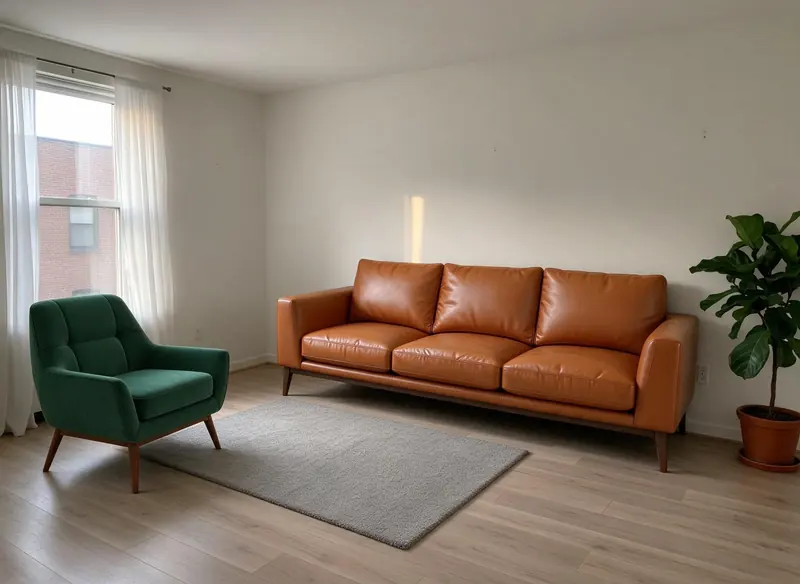
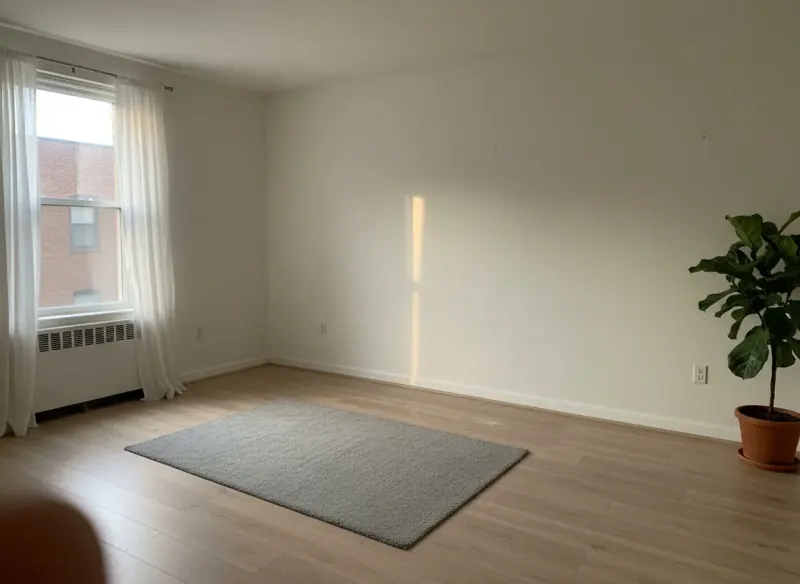
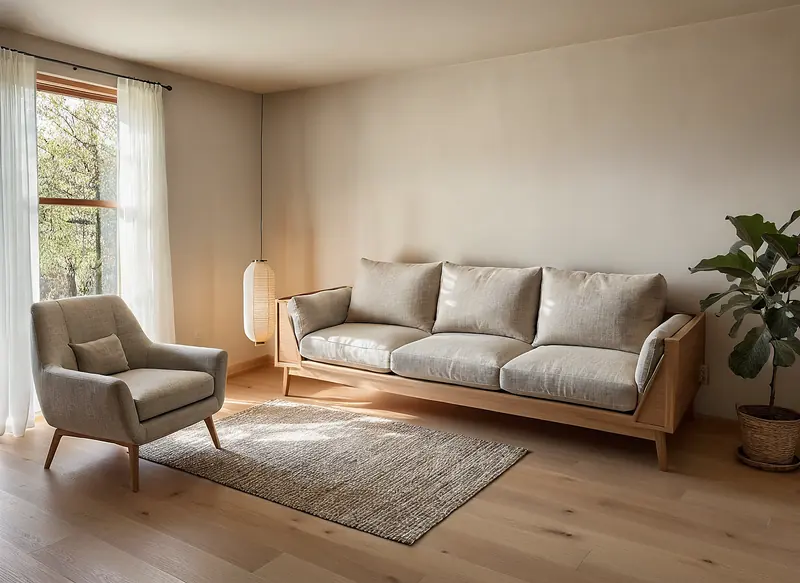
An empty demo room with a armchair product photo and a library sofa placed in it, and that same furnished room restyled to Japandi with Interior AI. Drag each handle to compare; each note says what changed.

The same living room with a green velvet armchair and a tan leather sofa placed on and beside the rug
Empty living room with a window, a grey rug and a fiddle-leaf fig
BeforeAfter
↔

Made with Place in Room · 25 credits · Oct 15, 2026

Before: A demo room photo, plus a velvet armchair product photo and a tan leather sofa from the Product Studio library.

The live production run from launch day: one uploaded armchair photo and one Product Studio library sofa.

The same living room restyled in japandi style: oatmeal linen sofa on an oak frame, a linen armchair, a jute rug and a paper lantern
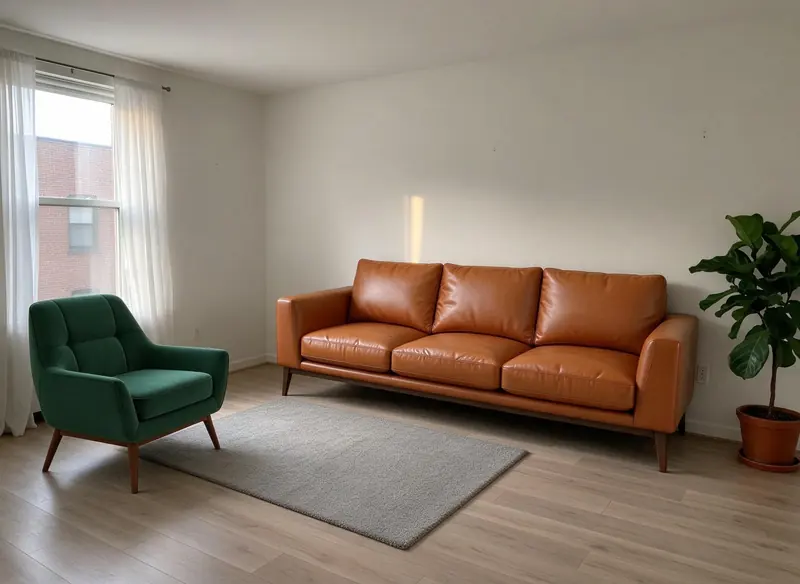
Living room with a green velvet armchair, a tan leather sofa, a grey rug and a fiddle-leaf fig by the wall
BeforeAfter
↔

Made with Interior AI · 100 credits · Oct 16, 2026

Before: A living room made earlier (a green armchair and a tan leather sofa placed in a demo room photo) · Made with Place in Room · 25 credits.

Japandi style, Structure Lock on. The room's shape, the window's position and the furniture layout stay; the furniture, rug and floor are restyled, the window frame turned to timber, the view outside changed from a brick building to trees, the pot became a basket, and a paper lantern was added.

The Tools

From the first idea to the client's yes

25 credits an image · every plan

Place in Room

Upload the client's room and up to 4 product photos from any store — a listing photo, a screenshot or a cutout — and get one photoreal image with the pieces in the room. Add a note like "armchair by the window". Sizes are estimates.

Learn more →

100 credits a render · every plan

Interior AI

Restyle a room photo or render in one of 24 styles (Modern, Contemporary, Minimal, Scandinavian, Japandi, Industrial and more) for 22 room types. Tick Structure Lock and it is designed to keep the walls, openings and proportions as shown.

Learn more →

100 credits a board · every plan

Mood Board AI

Describe the project and get a mood board plus a materials & finishes spec matched to your brief — focused on interior mood, exterior mood, materials & palette.

Free · every plan

Your own product library

Upload the pieces you specify most once, arrange them by hand on a client's room photo for free, and turn the arrangement into a priced quote. Checked end to end on production before we wrote this.

Learn more →

Free · every plan

Client sign-off from a phone

Put the options on one client page; your client types their name and approves or asks for changes on each one, with no account. Every decision lands in Clients & Leads.

Learn more →

Free · every plan

Quotes the client accepts online

Send a quote from Clients & Leads — or straight from a Product Studio arrangement — and your client accepts or declines it on a link. It records the answer; it doesn't take payment.

Learn more →

Pricing

What it costs

Place in Room is 25 credits an image; Interior AI and Mood Board AI are 100 and 100 credits a run.

Starter

$29/mo launch price

3,000 credits every month — about 120 room images. Archify watermark included. Unused credits roll over while you stay subscribed.

Pro

$79/mo launch price

10,000 credits every month — about 400 room images. Watermark-free downloads and the video tools. Unused credits roll over while you stay subscribed.

The client tools — sign-off, quotes and lead capture — are free on every plan. Compare plans on the pricing page.

Good To Know

What to check before it goes to a client

  • A restyle redraws the room

    Interior AI is an image model: on our own Japandi run, with Structure Lock ticked, the room's shape, the window and the furniture layout stayed, while the furniture, rug and floor were restyled and the window frame, the view outside and a few accessories changed. Structure Lock is off by default for this tool — tick it when the room's shape has to hold.

  • Products are placed, not measured

    Place in Room puts each piece where it reads naturally, but it cannot know the real size of the room or the product. Check real dimensions before anything is ordered.

FAQ

Archify for interior designers, answered

Can I use what I make on the free account for client work?+

On paid plans, yes — downloads on Pro and Studio are watermark-free and can carry your own studio branding. Free-account output carries the Archify watermark and is licensed for evaluation. Check your local MLS rules before using AI-altered video in a listing; that disclosure is the agent's responsibility.

Can I place furniture from any store?+

Yes. Place in Room takes any product photo — a store's listing photo, a screenshot or a cutout — up to 4 products per image, and returns one photoreal image of the room with them in it for 25 credits. A styled listing photo works too; only the product is taken.

Will Interior AI keep the room's architecture?+

Tick Structure Lock and it is designed to keep the walls, openings and proportions as shown — it is off by default for Interior AI, because a free restyle is the right default for a finished photo. Furniture, finishes and small details are redrawn either way, so check the result before it goes to a client.

What's in a mood board?+

Mood Board AI generates the board image plus a written materials & finishes spec matched to your brief, to help you source the look — 100 credits a board. Pick the focus: interior mood, exterior mood, materials & palette.

Is there a free way to try it?+

New accounts start with 500 free credits. That's enough for several Place in Room images or a few restyles before you pick a plan — no credit card required to sign up.

Keep Going

Related tools and guides

Put a real piece in a real room — free to start

New accounts start with 500 free credits. No credit card required to start.

Start Free