
100 credits a render
Design options
Render 2–3 facade schemes from one saved camera on the Design Studio model.
How it works →Archify for Developers
Turn early plans and massing into exterior renders, a clean presentation view and a 3D link buyers and investors open on a phone — and re-render the day the scheme changes.
New accounts get 1,000 credits — 500 for signing up and 500 for verifying your email.
Before & After
How it goes today
With Archify
Today
Commission a marketing set before the scheme is final, then pay again when it changes.
With Archify
Re-render the scheme the day it changes — 100 credits a render.
Today
Show investors a site plan and ask them to imagine the rest.
With Archify
A clean 3/4 presentation view of the building — 100 credits a view.
Today
Wait on the full set before anyone can see the project.
With Archify
Share a 3D link to the model as soon as it exists.
Every week the project can't be shown is a week of pre-sales you don't have.
The Tools
100 credits a render
Render 2–3 facade schemes from one saved camera on the Design Studio model.
How it works →100 credits a render
Restyle a retail, office or mixed-use facade from one photo or render.
How it works →100 credits a view
Any building image as a clean 3/4 presentation view.
How it works →Included · 0 credits
A private link to the model that opens on a phone, with AR on iPhone and Android.
How it works →Worth knowing: Marketing images are design intent, not a promise of the built result — label them as artist's impressions in your sales material.
Real Output
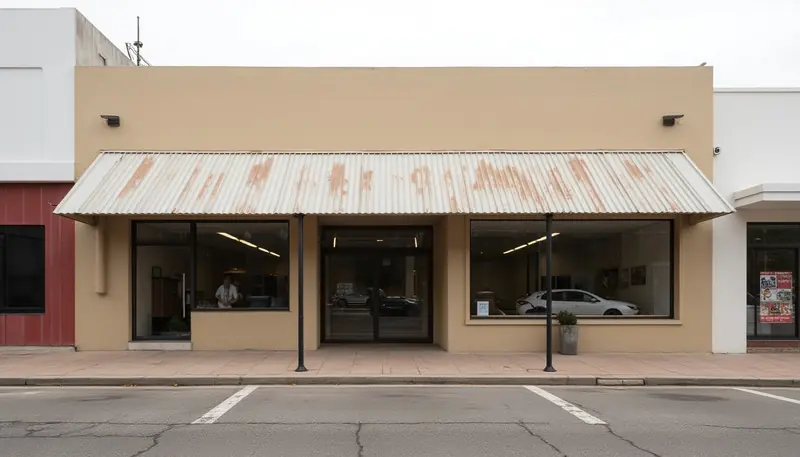
A commercial facade restyled, and a render turned into a 3/4 presentation view. Each note says what changed.
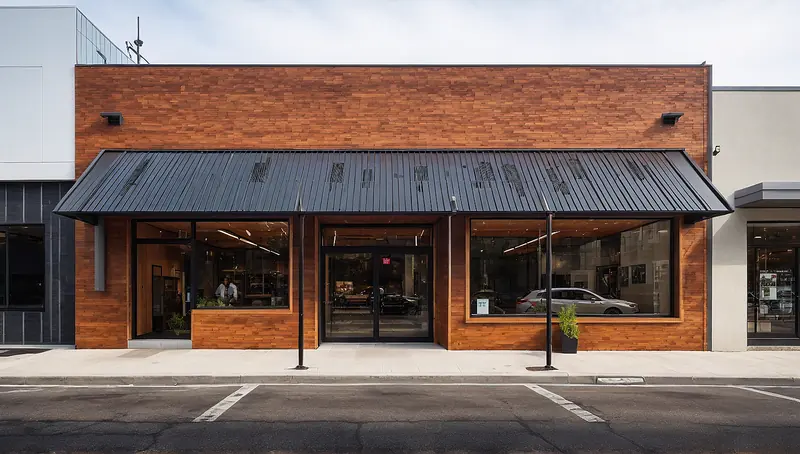
Made with Commercial Redesign · 100 credits · Oct 16, 2026
Before: A tired single-storey storefront generated for this demo — not a photo of a real building · Made with Text to Render (Imagine AI) · 100 credits.
The before is itself an Archify image (Text to Render), made for this demo. Footprint, openings and parking strip kept.
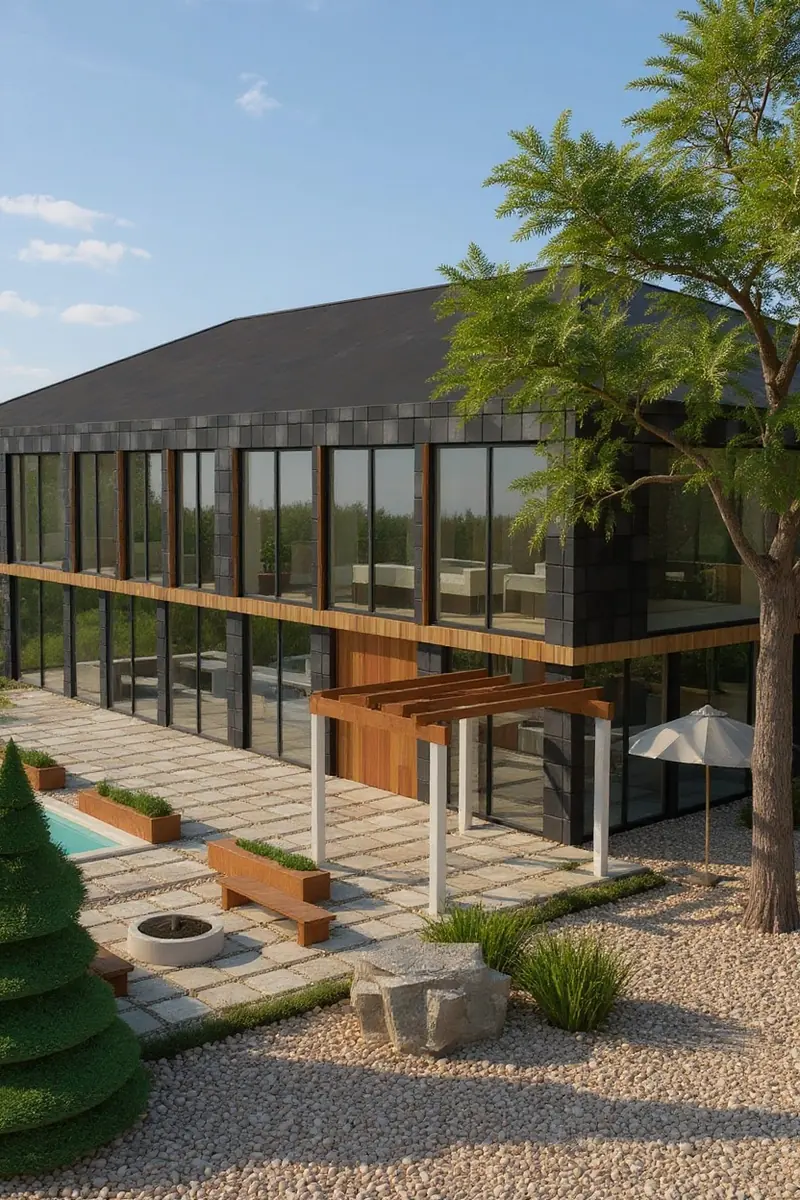 Before
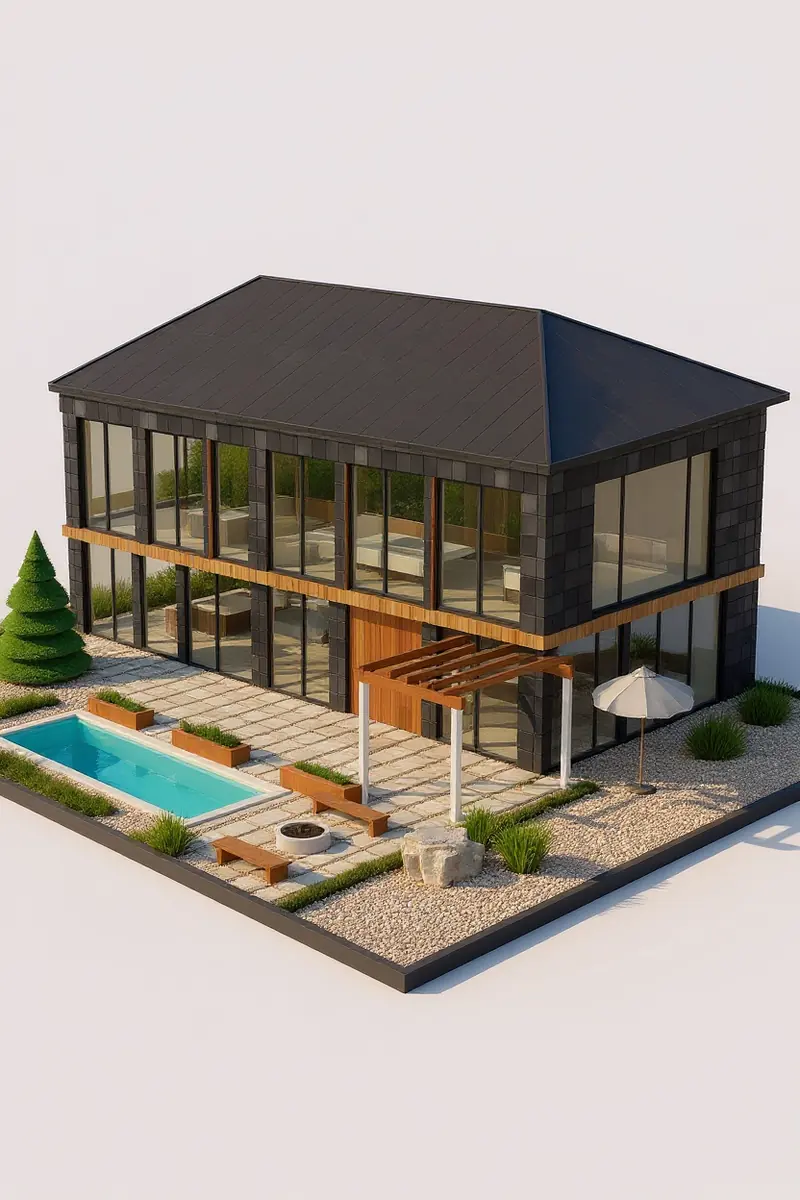 After
Made with Isometric View · 100 credits · Oct 16, 2026
Before: A daytime render of our flagship demo house, rendered from its Design Studio model · Made with Design Studio Render · 100 credits.
An AI interpretation: the plinth, the pool's shape and the far side of the house are the model's reading of one image.
Pricing
One set of 3 facade options is 300 credits at today's tool prices; each plan's price per credit sets what it costs.
Starter
About $2.90 per set of 3 facade options
10 sets of 3 facade options a month · No watermark
$29/month launch price · 3,000 credits a month · unused credits roll over while you stay subscribed
Pro
About $2.37 per set of 3 facade options
33 sets of 3 facade options a month · No watermark
$79/month launch price · 10,000 credits a month · unused credits roll over while you stay subscribed
Use it for your next client pitch. If it isn't good enough to show, you get your credits back.
On a paid plan, mark a result you made on it “Not client-ready” in History within 14 days and the credits it used go back to your balance (not your card) — up to 3 times per account, in total. How it works
Each Archify tool is priced per run in credits, and failed runs refund automatically. Packs and team plans are on the pricing page.
FAQ
New accounts get 1,000 credits — 500 for signing up and 500 for verifying your email.
On paid plans, yes — downloads on Starter, Pro, Studio and the multi-seat plans have no watermark and can carry your own studio branding (Student downloads keep the Archify mark). Output made without a plan carries the Archify watermark and is licensed for evaluation. Check your local MLS rules before using AI-altered video in a listing; that disclosure is the agent's responsibility.
On a paid plan, mark a result you made on it “Not client-ready” in History within 14 days and the credits it used go back to your balance (not your card) — up to 3 times per account, in total.
New accounts get 1,000 credits — 500 for signing up and 500 for verifying your email. No credit card required to start.