
100 credits a render
Interior AI
Restyle a room photo by style, room type and lighting.
How it works →Archify for Homeowners
Take a photo of the room or the yard and see it restyled, furnished with pieces from real stores, and listed out as materials and finishes — before you call a designer or a contractor.
New accounts get 1,000 credits — 500 for signing up and 500 for verifying your email.
Before & After
How it goes today
With Archify
Today
Hire someone to show you options before you know what you want.
With Archify
Restyle the room from one photo — 100 credits a render.
Today
Buy the sofa and hope it works in the room.
With Archify
Put up to 4 pieces from any store into your photo — 25 credits an image.
Today
Describe the look to a contractor in words.
With Archify
Hand them a mood board with a materials and finishes list — 100 credits a board.
A remodel you can't picture is the one you end up redoing.
The Tools
100 credits a render
Restyle a room photo by style, room type and lighting.
How it works →25 credits an image
Upload your room and 1–4 product photos or screenshots, and see them placed in your space.
How it works →100 credits a render
Redesign a yard, patio, garden or pool from a photo.
How it works →100 credits a board
A design-direction board plus a materials and finishes spec to source the look.
How it works →Worth knowing: A preview, not a measurement: sizes are estimated and small details can drift — check real dimensions before you buy or build.
Real Output
A furnished room restyled, and a room photo with store products placed in it. Each note says what changed.
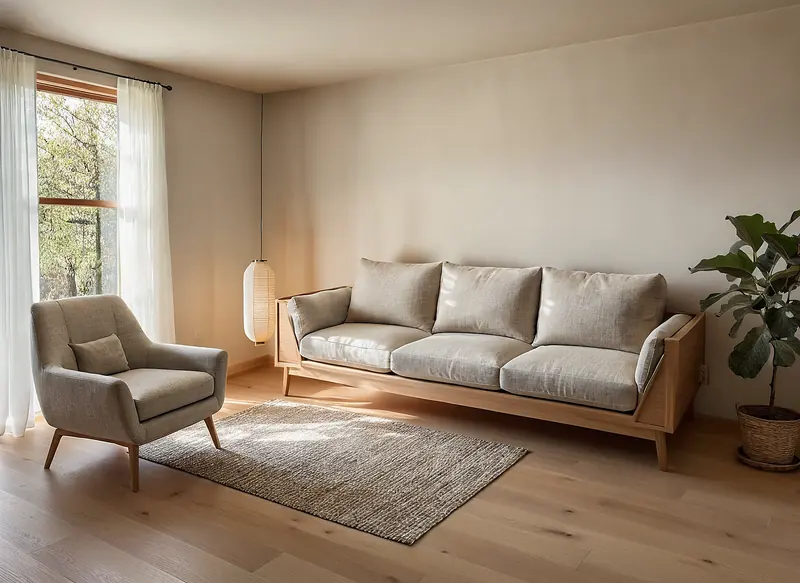
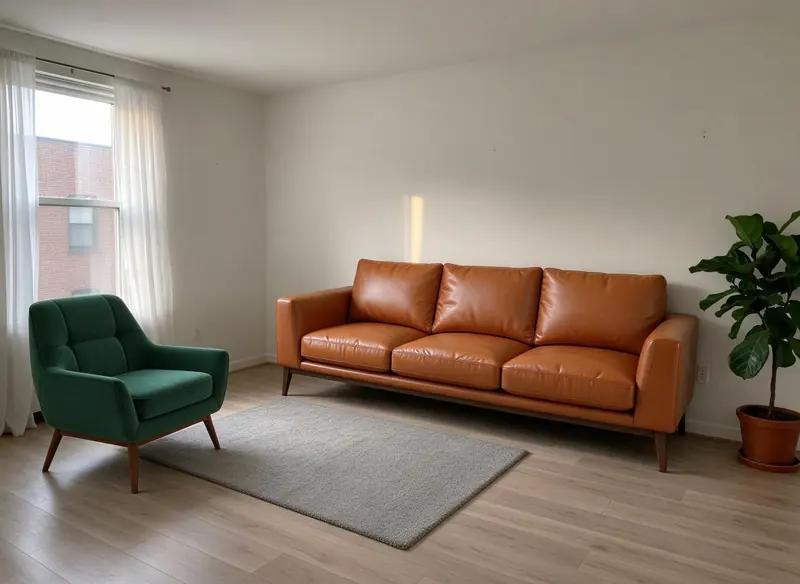
Made with Interior AI · 100 credits · Oct 16, 2026
Before: A living room made earlier (a green armchair and a tan leather sofa placed in a demo room photo) · Made with Place in Room · 25 credits.
Japandi style, Structure Lock on. The room's shape, the window's position and the furniture layout stay; the furniture, rug and floor are restyled, the window frame turned to timber, the view outside changed from a brick building to trees, the pot became a basket, and a paper lantern was added.
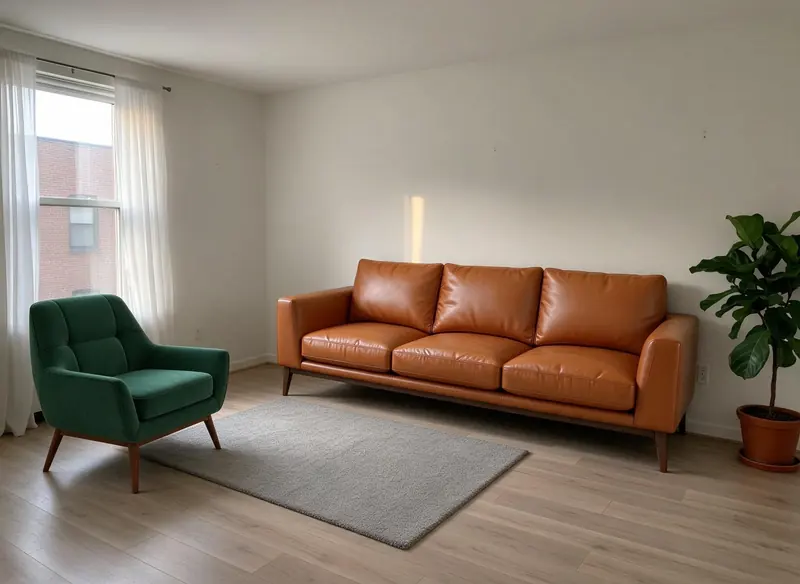
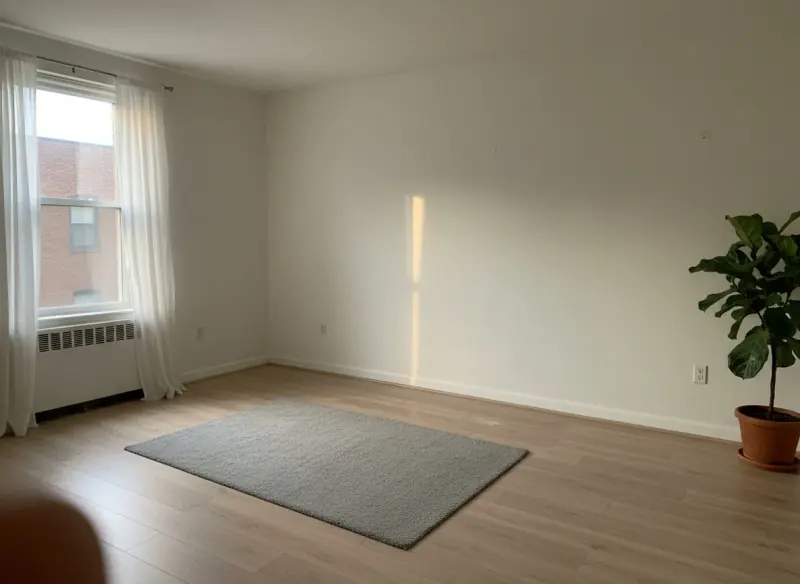
Made with Place in Room · 25 credits · Oct 15, 2026
Before: A synthetic demo room photo, made with a third-party AI image model during our Oct 15 engine tests (not a real home, not stock, not an Archify tool output), plus a velvet armchair product photo made the same way and a tan leather sofa from the Product Studio library.
The live production run from launch day: one uploaded armchair photo and one Product Studio library sofa.
Pricing
One room restyle is 100 credits at today's tool prices; each plan's price per credit sets what it costs.
Starter
About $0.97 per room restyle
30 room restyles a month · No watermark
$29/month launch price · 3,000 credits a month · unused credits roll over while you stay subscribed
Pro
About $0.79 per room restyle
100 room restyles a month · No watermark
$79/month launch price · 10,000 credits a month · unused credits roll over while you stay subscribed
Not happy with a result? On a paid plan, mark a result you made on it “Not client-ready” in History within 14 days and the credits it used go back to your balance (not your card) — up to 3 times per account, in total. Failed runs refund automatically. How it works
Each Archify tool is priced per run in credits, and failed runs refund automatically. Packs and team plans are on the pricing page.
FAQ
New accounts get 1,000 credits — 500 for signing up and 500 for verifying your email.
On paid plans, yes — downloads on Starter, Pro, Studio and the multi-seat plans have no watermark and can carry your own studio branding (Student downloads keep the Archify mark). Output made without a plan carries the Archify watermark and is licensed for evaluation. Check your local MLS rules before using AI-altered video in a listing; that disclosure is the agent's responsibility.
On a paid plan, mark a result you made on it “Not client-ready” in History within 14 days and the credits it used go back to your balance (not your card) — up to 3 times per account, in total.
New accounts get 1,000 credits — 500 for signing up and 500 for verifying your email. No credit card required to start.